- EN
Car accessories
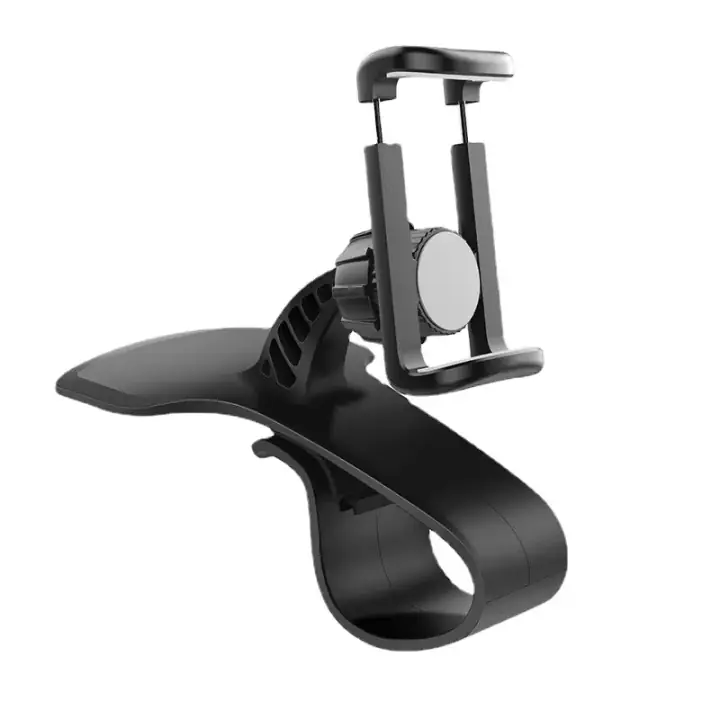
Dashboard Car Phone Holder That Turns 360°
Written from the supplier title: Universal 360 Rotatable Car Phone Holder Dashboard Stand Auto Grip Bracket Mobile Cell Phone Support Rack
View the page
Free to try, no sign-up
Paste an AliExpress product link. DropAI reads the listing's title, specs, variants and photos, then writes the description and the rest of the product page from those facts.
Free previewNo sign-upPay only to export
Unedited output from the same generator, with the supplier's own title underneath each one.
Car accessories
Written from the supplier title: Universal 360 Rotatable Car Phone Holder Dashboard Stand Auto Grip Bracket Mobile Cell Phone Support Rack
View the page
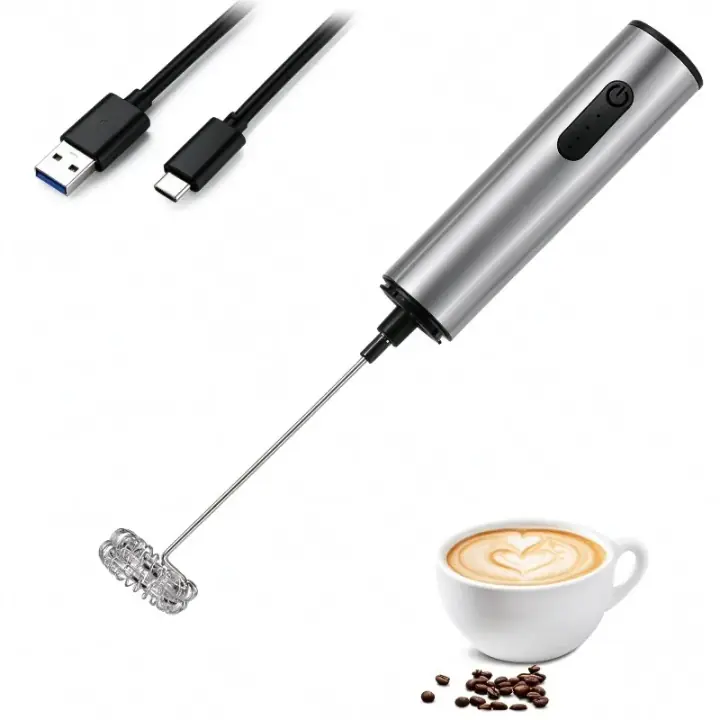
Kitchen
Written from the supplier title: Rechargeable Stainless Steel Milk Frother 3 Speeds for Latte Cappuccino Espresso Home And Barista Use
View the page

Beauty
Written from the supplier title: Silicone Shampoo Brush Head Scalp Massage Comb Clean The Scalp Thoroughly Body Massage Brush Bath Brush Salon Hairdressing Tool
View the page
Most description generators give you a paragraph. A product you are about to send ad traffic to needs a whole page, so that is what DropAI writes from the listing:
Shipping, returns and guarantee lines come from the store policy you enter, never from the AI. If you have not entered one, the editor shows a marked placeholder and the export leaves the line out.
Most AI description tools ask you for a product name and a few keywords, then write from what the model already believes about that kind of product. That is how descriptions end up promising battery life, materials or certifications the product does not have.
DropAI starts from the supplier's own data. After the page is written, a second pass checks every line of copy against that data and the photos, and rewrites what it cannot support. You can see each change, with the reason, in the editor's Notes panel. It never adds reviews, star ratings, sales counts, endorsements or statistics that are not in the listing.
Here is what that looks like on a real listing, the car phone holder in the examples:
| Text | |
|---|---|
| Supplier title (105 characters) | Universal 360 Rotatable Car Phone Holder Dashboard Stand Auto Grip Bracket Mobile Cell Phone Support Rack |
| Supplier description | "...compatible with various brands including iPhone 16 15 Pro, Samsung, and Xiaomi..." |
| DropAI headline (42 characters) | Dashboard Car Phone Holder That Turns 360° |
| DropAI bullet | A universal design listed as compatible with iPhone 15 and 16 Pro, Samsung and Xiaomi phones. |
The compatibility claim stays, but it is attributed to the listing ("listed as compatible") rather than promised as a fact you have tested.
The preview is free and needs no account. Exporting is paid: $9 for a pack of 3 exports, or Pro at $24.99 a month for 30 exports a month. See pricing.
Being honest about the limits saves you a wasted test:
The full page preview is free, without signing up or entering a card. You pay only to export a page into your store.
Yes. Pick English, Spanish, French, German, Portuguese (Brazil), Italian or Dutch before you paste, and the whole page is written in that language from the start. More on that in writing AliExpress product pages in your customer's language.
The copy is newly written from the facts rather than copied from the listing, so it does not repeat the supplier's wording. Like any generated text, read it and make it yours before you publish.
AliExpress comes first. Product pages on other Shopify stores, and other pages that publish standard product markup, work too.
Last reviewed .